Marketing websites, that update themselves.
ShipSite is the open-source framework and managed cloud that turns structured content files into lightning-fast, SEO-perfect, multilingual marketing websites — fully automatable with OpenClaw, n8n, Make, Windmill, and any other tools you already use.
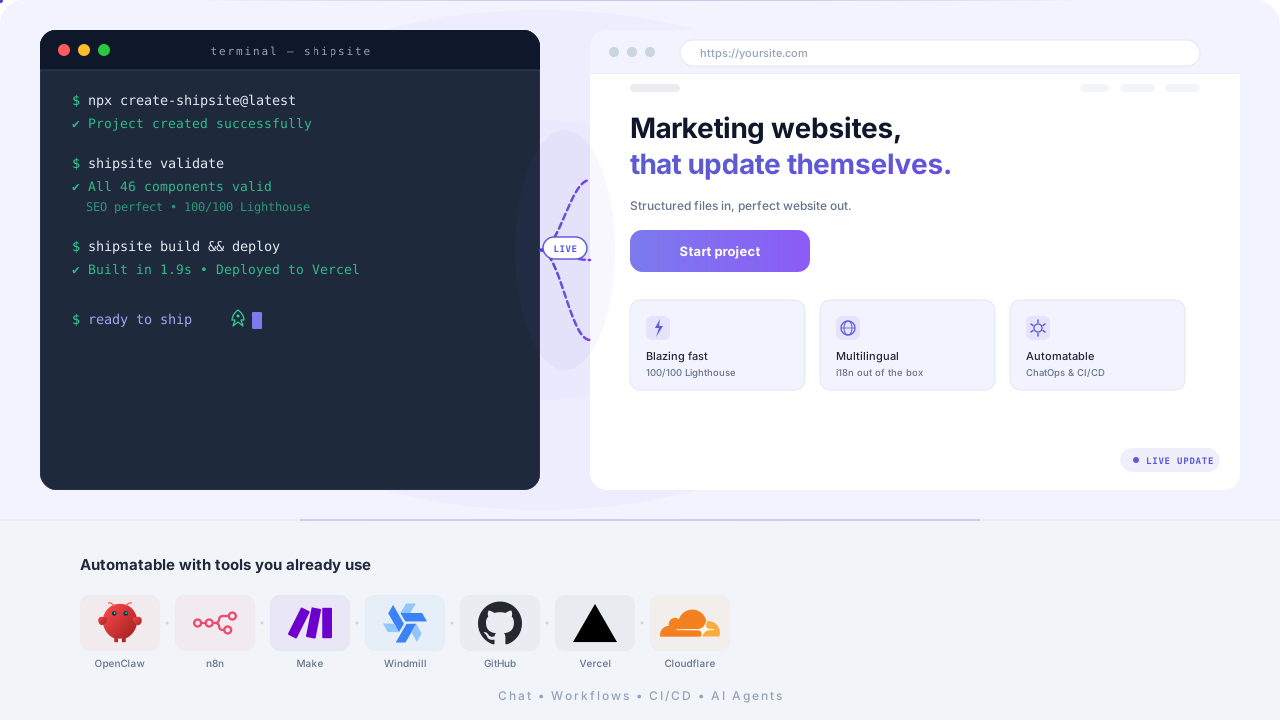
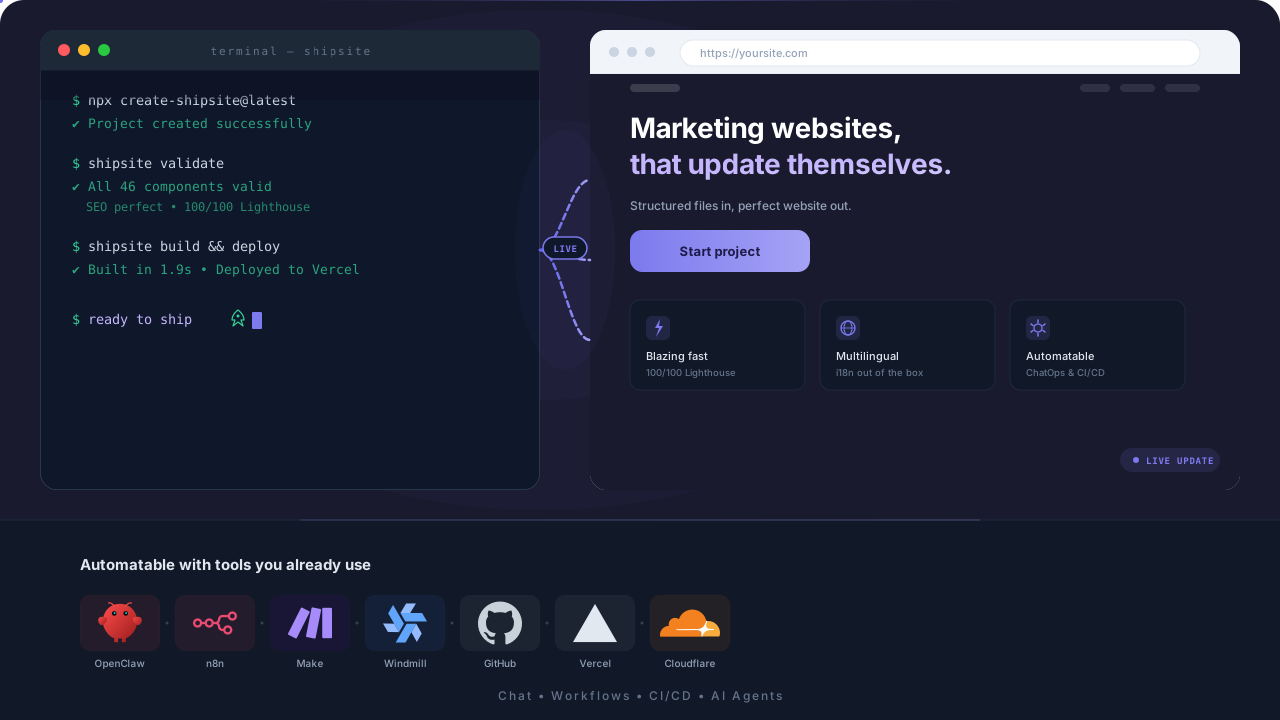
Open Source -- 100/100 Lighthouse -- ChatOps Ready -- Static & Blazing Fast
Built for teams that care about speed, SEO, and automation.
Does your marketing website drain time and energy?
When content, SEO, and multilingual setup aren't structured, every change becomes risky.
New landing pages take forever
Every page feels like a mini-project — layout, copy, SEO, build, deploy.
Content becomes inconsistent
Copy and structure drift because there's no single source of truth.
SEO basics get missed
Titles, descriptions, canonicals, sitemap, hreflang — small things that matter.
Multilingual is painful
Duplicate work, broken slugs, missing hreflang, unclear ownership.
At 20+ pages you lose overview
What's live, what's stale, what's orphaned — nobody knows.
AI changes become a black box
Without structure, AI edits are hard to review and easy to break.
There's a better way.
ShipSite makes website content something you can version, review, automate, and trust.
ShipSite solves it — structured, scalable, AI-ready.
One config, the entire website
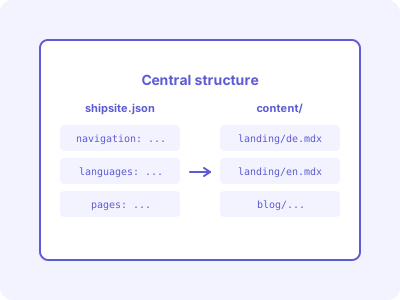
Navigation, branding, languages, footer, and page registry in one file. Content as MDX — modular, typed, auditable.
Single source of truth
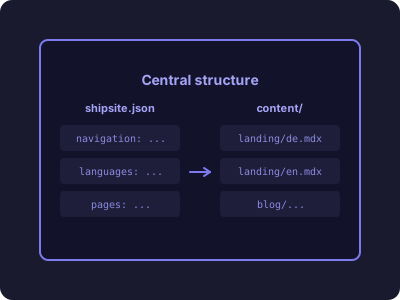
One config controls structure and global content.
46+ marketing building blocks
Hero, Features, Pricing, Testimonials, FAQ, Blog, Legal — ready to ship.
Static & fast
Blazing delivery without backend overhead.
ChatOps with OpenClaw
Change content or create pages via chat — transparent as a Git diff.
Everything you need — nothing you don't.
A marketing framework optimized for performance, SEO, and teams.
46+ marketing building blocks
Pixel-perfect sections for landing, blog, legal, and more — typed and reusable.
Single source of truth
Navigation, branding, languages, footer: centralized in `shipsite.json`.
Static perfection
High Lighthouse scores out of the box — fast, stable, affordable.
Real multilingual support
Locale paths, hreflang, slug translation, language switcher — from day one.
Built-in blog system
Authors, categories, reading time, RSS — generated from MDX frontmatter.
Automatic SEO & validation
Sitemap, robots.txt, OpenGraph, canonical + `shipsite validate` before deploy.
Scales to hundreds of pages
Perfect for use cases, city pages, and programmatic SEO.
AI & ChatOps native
Create or edit pages via agents — no black box, everything as files in git.
Automation ready
Works natively with n8n, Make, Windmill, OpenClaw, Zapier, GitHub Actions — writes MDX files directly and commits to your repo.
Built for the AI future
Your website listens — even via chat.
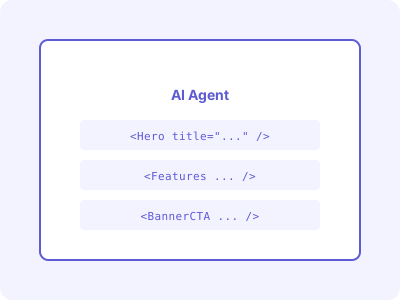
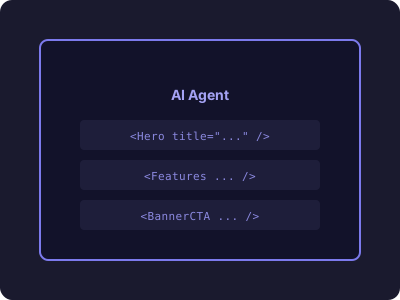
With modern AI agents like OpenClaw, ShipSite becomes a ChatOps tool: create content, optimize SEO, add pages — transparently as files in your Git repo.
No backends
Static site — fewer moving parts, less maintenance.
No black box
Every change is a Git diff — reviewable and rollbackable.
Agent-ready
Typed components + structured config = reliable AI outputs.
Works with the tools you already use
Your existing workflows become a website machine
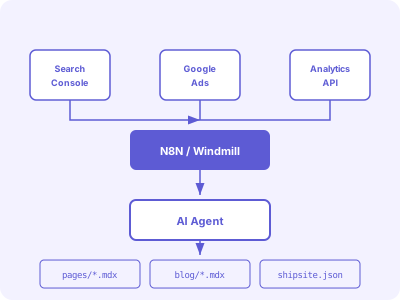
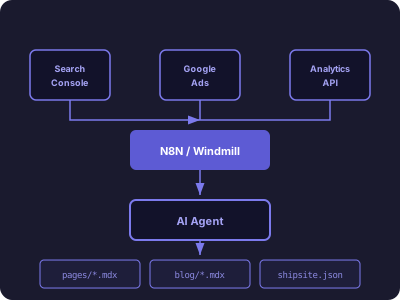
ShipSite is just files in your Git repo. That means any workflow engine can operate on it directly — no APIs, no backends, no vendor lock-in.
ChatOps
OpenClaw, Claude, GPT, Gemini — via Telegram, Slack, WhatsApp, Discord
No-code / low-code
n8n, Make, Windmill, Zapier — cron jobs, Search Console, analytics, Google Ads
Developer workflows
GitHub Actions, GitLab CI, direct Node.js/Python scripting
From zero to live in 5 minutes
Connect your GitHub repo
Sign up at app.shipsite.dev and link your repository. ShipSite detects your shipsite.json and sets up automatic builds.
Edit content in the browser
Use the built-in MDX editor with live preview, component palette, and frontmatter forms. No local dev setup needed.
Validate and optimize
Built-in SEO validation checks frontmatter, meta tags, headings, and accessibility before every deploy.
Auto-deploy to the edge
Every push triggers a build. Your site is deployed to Cloudflare's global edge network in under 30 seconds.
The cloud platform
Web-based MDX Editor
Split-pane editing with live preview, component palette, syntax highlighting, and frontmatter forms.
SEO Dashboard
Automatic validation for meta tags, headings, images, and accessibility compliance.
Custom Domains
Connect any domain with automatic SSL certificates and global edge CDN.
Deploy History
Track every deployment with timestamps, commit references, and one-click rollback.
GitHub Sync
Two-way sync between the web editor and your repository. Branch-based editing with pull requests.
How teams use ShipSite
Four common scenarios — from startup websites to programmatic SEO.
A — Startup website
Landing + features + pricing + blog in under 3 hours.
B — 50 city landing pages
Programmatic SEO for local services — centrally managed.
C — Multilingual expansion
German, English, Spanish — automatically kept in sync.
D — Chat-driven website
'Hey OpenClaw, update pricing and create a new feature page' — live in minutes.
E — Continuous SEO optimization
Once a month: Search Console + Analytics -> AI finds weak pages -> automatically creates/optimizes MDX files + deploy. Fully automated with n8n or Make.
Why ShipSite vs WordPress, Webflow, and more
A pragmatic comparison for teams that want speed and automation.
| Feature | ShipSite | WordPress | Webflow | Plain Astro |
|---|---|---|---|---|
| Performance (Lighthouse) | 100/100 | 60-85 | 90-95 | 95+ |
| AI ChatOps (OpenClaw etc.) | Native | Very hard | Limited | Manual |
| Version control & audit | Git-native | Chaotic | Limited | Yes |
| Automatic validation | Yes | No | No | Manual |
| Real multilingual support | Built-in | Plugin hell | Expensive | Manual |
| Managed cloud editor | Yes | No (WP Admin) | Yes | No |
| Auto-deploy from GitHub | Yes | Manual/Plugin | No | Manual |
| Maintenance overhead | Minimal | High | Medium | Medium |
| Cost | Free tier | Hosting + plugins | From $29/mo | Free |
Simple, transparent pricing
Start free. Upgrade when you need more.
Free
For personal projects
- 1 project
- 10 deploys per day
- shipsite.dev subdomain
- Community support
- All 46+ components
Pro
For professionals
- 5 projects
- 100 deploys per day
- 5 custom domains
- SEO dashboard
- Priority support
Team
For teams and agencies
- 20 projects
- 500 deploys per day
- 20 custom domains
- Team collaboration
- Dedicated support
Frequently asked questions
Is ShipSite free?
Yes — 100% open source (MIT License). The cloud platform has a generous free tier with one project, ten deploys per day, and a shipsite.dev subdomain.
Do I need to know React?
No. You use pre-built building blocks in MDX files and a single JSON config.
Are AI/bot changes traceable?
Yes — everything goes through git. Every change is attributable, reviewable, and rollbackable.
How good is the SEO?
Technical SEO (sitemap, canonical, Open Graph, hreflang) is generated automatically. shipsite validate helps catch common issues before deploy.
Can I add my own blocks?
Yes. Create a React component in components/ and export it from components/index.ts.
Where can I host?
Anywhere static sites run: Vercel, Netlify, Cloudflare Pages, GitHub Pages, or your own server. Or use ShipSite Cloud for managed hosting with auto-deploys, SEO dashboard, and custom domains.
Ready for the next generation of your marketing website?
No credit card required — free tier included.
Start Free